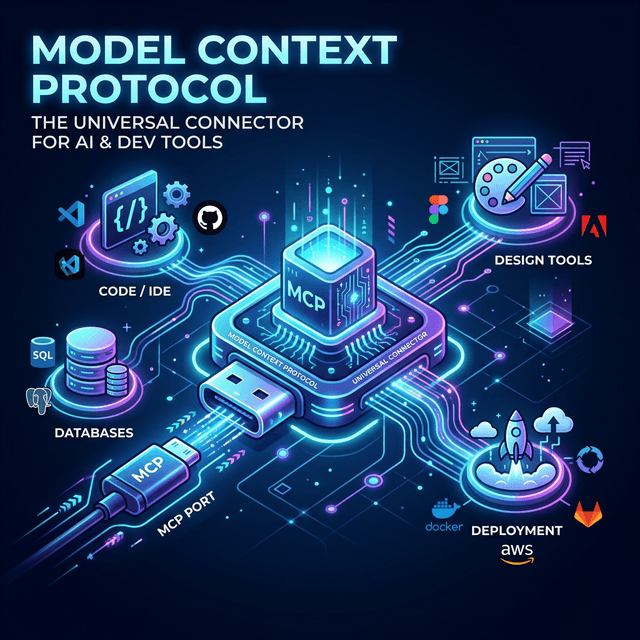
I've been using MCP servers in my daily workflow for three months. And the protocol that started as "Anthropic's answer to tool integration" has quietly become the USB port of AI development.
Let me explain why that matters — and why the last 60 days changed everything.
From Anthropic's Protocol to Industry Standard
Quick recap for anyone who missed the journey.
November 2024: Anthropic introduces MCP — the Model Context Protocol. An open standard for connecting AI models to external tools and data sources. It was elegant: a JSON-RPC-based protocol that let any AI model call any tool through a standardized interface. No more one-off integrations. No more custom adapters for every service.
March 2025: OpenAI adopts MCP. That was the first domino. When the two largest AI companies agree on a protocol, the ecosystem follows.
December 2025: Anthropic donates MCP to the Agentic AI Foundation under the Linux Foundation. Google, Microsoft, and AWS sign on as founding members. This was the moment MCP stopped being "Anthropic's protocol" and became infrastructure. The same way HTTP belongs to nobody and everybody, MCP now belongs to the foundation that governs it.
March 2026: We're here. MCP is integrated into VS Code, Visual Studio, GitHub Copilot, and every major AI coding assistant. The market is projected at $1.8 billion. And I'm using it for tasks I couldn't have imagined automating six months ago.
What Changed in My Workflow
Before MCP, integrating an AI assistant with my development tools was a series of hacky compromises. Need the AI to read a GitHub issue? Copy-paste the URL. Need it to check a database? Run the query yourself and paste the result. Need it to access documentation? Hope the training data included it, or paste the relevant sections.
With MCP, the AI agent connects directly to the tools I use. Not through screenshots or copy-paste. Through typed function calls with proper authentication and error handling.
Here's what my current MCP stack looks like:
- GitHub MCP Server: The agent reads issues, creates PRs, reviews code, and manages branches. Not through the web interface — through structured API calls.
- Supabase MCP Server: Direct database access. Schema inspection, query execution, migration management. The agent understands my data model because it can read it directly.
- Stitch MCP Server: UI design generation. The agent creates screen mockups and design systems through tool calls, not through a separate interface.
- Browser MCP tools: When the agent needs to verify something visually, it can take screenshots, navigate pages, and validate UI changes.
The compound effect is significant. Each individual tool saves maybe 5-10 minutes per task. But when the agent can chain them together — read an issue on GitHub, inspect the relevant database tables, make code changes, run tests, and create a PR — the entire workflow becomes a single conversation instead of context-switching between six applications.
The MCP Developer Experience in 2026
Here's what the developer tooling landscape looks like right now:
Installation is trivial. Most MCP servers install with a single npm or pip command. Configuration is a JSON file that maps server names to transport protocols. The protocol handles authentication, rate limiting, and error recovery. You don't need to understand JSON-RPC to use MCP — the same way you don't need to understand TCP/IP to use a web browser.
Discovery is getting better. Finding the right MCP server for your use case was painful six months ago. Now, the MCP registry at modelcontextprotocol.io lists hundreds of servers with documentation, usage examples, and compatibility information. VS Code has built-in MCP server discovery. The ecosystem is starting to feel like npm did in 2015 — growing fast, with varying quality, but clearly useful.
Security is the remaining frontier. MCP servers run with the permissions of the user who installs them. That means an MCP server connected to your production database has production database access. Prompt injection attacks against MCP tools are real — a malicious response from one tool could instruct the AI to misuse another tool. Microsoft is building secure MCP architecture into Windows 11. The protocol itself needs better sandboxing, permission models, and version control. This is solvable, but it's not solved yet.
What I Build Differently Now
MCP has changed my approach to building AI-powered applications in three fundamental ways:
I build MCP servers before I build UIs. When I start a new project, the first thing I create is an MCP server that exposes the project's core operations as tools. Not a REST API. Not a GraphQL schema. An MCP server. Because if the operations are clean enough for an AI agent to use through a standardized protocol, they're clean enough for any interface — web, mobile, CLI, or AI.
This sounds backwards. It's not. The discipline of designing tool interfaces — with clear parameter types, explicit error responses, and well-scoped actions — forces better architecture decisions than starting with a UI and reverse-engineering the API.
I use MCP for development, not just production. My development workflow is MCP-native. Database migrations? Through the Supabase MCP server. Code generation? Through tools that understand my project's patterns. Deployment? Through MCP tools that interact with Vercel and GitHub Actions. The AI assistant isn't just helping me write code — it's operating my entire development infrastructure through standardized tool calls.
I think in tool compositions, not feature implementations. Instead of asking "how do I build this feature?", I ask "which existing MCP tools can I compose to deliver this capability?" Often, the answer is a combination of tools I already have — GitHub for code management, Supabase for data, Stitch for UI — orchestrated through an agent that understands the workflow.
The Uncomfortable Parts
MCP isn't perfect. The protocol has real limitations that I deal with daily.
Latency. Every MCP tool call is a network round-trip. Chain five tool calls together and you add 2-5 seconds of latency. For interactive development, that's noticeable. For batch operations, it's acceptable. But the protocol needs performance optimization as workflows get more complex.
State management. MCP is stateless by design — each tool call is independent. But real workflows have state. If an agent reads a file, modifies it, and writes it back, there's no built-in mechanism to ensure the file wasn't changed by another process between the read and the write. Developers are building state management on top of MCP, but it should probably be part of the protocol.
Tool sprawl. As I add more MCP servers, the agent's context window fills with tool descriptions. Twenty servers with ten tools each means 200 tools the agent needs to consider for every request. The protocol needs better tool categorization, lazy loading, and relevance filtering.
These are engineering problems, not design problems. They'll be solved. The architecture is right — the edges need polishing.
Where This Goes
MCP in 2026 reminds me of early npm, early Docker, early Kubernetes. The core abstraction is correct. The tooling is immature. The community is enthusiastic and slightly chaotic. And the companies building on it now will have an enormous head start when the ecosystem matures.
If you're a developer who hasn't tried MCP yet, start with one server. Pick the tool you use most frequently — GitHub, Jira, your database, your CI system — and install the MCP server for it. Use it for a week. Feel the difference between copy-pasting context and letting the AI access it directly.
Then add a second server. Then a third. Watch what happens when the tools start composing.
The future of developer tools isn't better GUIs. It's better protocols. MCP is the protocol that's winning.